How to Get Paid on Skool (Payments, Payouts, Refunds)
To get paid on Skool, connect a bank via Stripe Express, set a price, and payouts land every Wednesday. Fees are 2.9% + 30c on Pro or 10% + 30c on Hobby.

To get paid on Skool, you connect a bank account through Stripe Express, set a price on your group or a course, and Skool pays you out automatically every Wednesday in your local currency. That is the short version. The part that catches people out is the fees and the timing of that first payout, so this guide walks through the whole money path, from switching payments on to cash in your account.
The numbers that matter
- Pro fees 2.9% + 30c per transaction up to $899, then 3.9% + 30c above $900
- Hobby fees 10% + 30c on every transaction
- Per-charge limit up to $100,000 USD
- Payouts every Wednesday, automatic, in your local currency
- First payout around 8 to 14 days, then every 7 days after
- Transaction fees non-refundable
Understand the fees before you price
Skool takes a cut of every sale, and the plan you are on decides how big that cut is. On Pro, it is 2.9% + 30c per transaction for charges up to $899, rising to 3.9% + 30c for anything above $900. On Hobby, it is a flat 10% + 30c on all transactions.
That gap is huge at scale. A $999 Pro charge nets you $959.74. The same sale on Hobby loses about a hundred dollars. Whatever you set, remember transaction fees are non-refundable, so if you refund a member later, you eat that fee.
Builder insight: the Hobby 10% fee is fine while you are testing, but once you have steady sales the math flips fast. If you are clearing more than a few hundred dollars a month, Pro almost always costs less in total once the lower transaction fee is counted, even after the higher plan price.
The full crossover arithmetic, plan by plan, is in how much Skool costs and how much Skool takes in fees.
Turn on payments and connect your bank
Skool does not use a normal Stripe account. It uses Stripe Express purely for payouts, and you cannot plug in an existing Stripe account. Here is the setup.
Open the Payouts settings
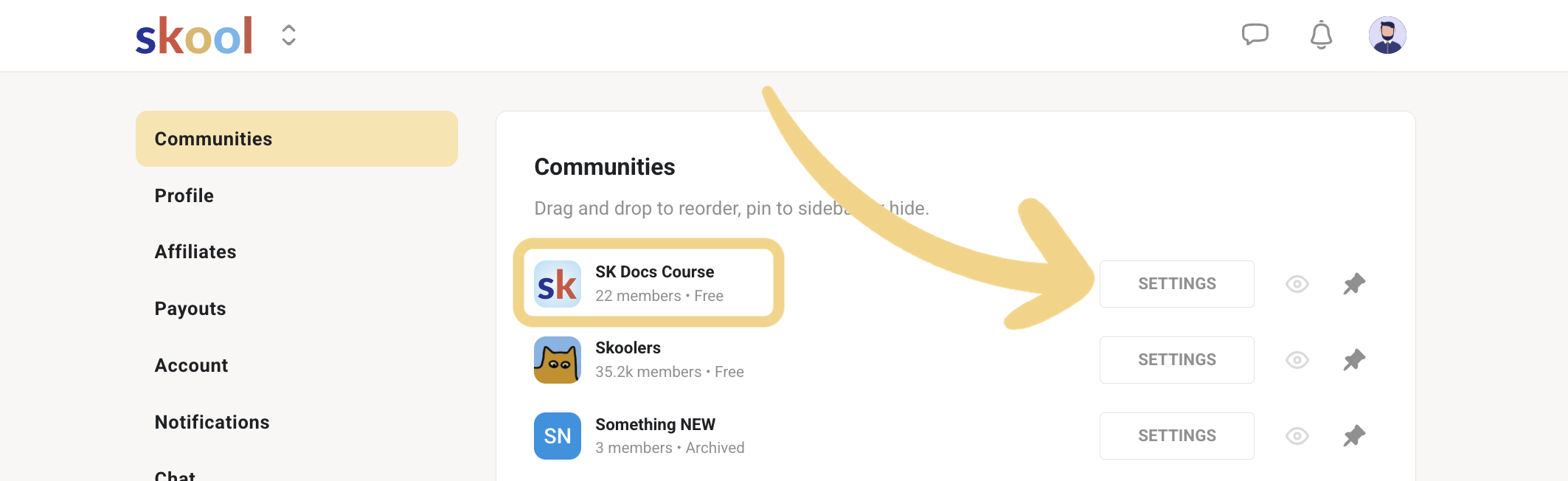
Click your profile pic, go to Settings, then the admin settings for that group. Find the Payouts tab in the left nav and click the settings gear to begin.
Pick your country and start Stripe Express
Select your country and click CONTINUE. Stripe walks you through Express signup. If you do not have a website, click "No URL?" and describe your group instead. Note that Wise, Chime, and similar fintech banks are not directly supported.
Verify your identity and add the bank
Complete identity verification, which is legally required before any payout. Then connect your bank account (a local regional bank is recommended). Finally, set your price with ADD PRICE, choosing monthly, annual, or lifetime.
Choose how you charge
Skool gives you five pricing models, so you are not locked into one shape. A free group builds an audience. A subscription charges monthly or annually with an optional 7 day free trial. Freemium runs a free plan and a paid plan side by side so members can upgrade anytime. Tiers stack multiple paid plans. A one-time payment suits lifetime course access, pop-up groups, and seminars.
Which shape you pick is a pricing decision as much as a settings one, so read it alongside how to price a Skool community and Skool membership tiers. You can also sell a single course inside a free or subscription group using one-time course purchases. You need a published course and a connected bank account first, then set the course to Buy Now with a price. Buyers get instant access, and a "1-time sales" metric shows up on your dashboard.
When and how you actually get paid
Payouts happen every Wednesday, automatically, and land in your local currency. If you are outside the US, you receive your own currency, not USD. A UK creator gets GBP, for example.
The first payout is the slow one. It runs through verification checks and can take around 8 to 14 days from your first payment. After that, it settles into a rhythm of every 7 days. Once initiated on Wednesday, US bank deposits take 1 to 3 business days and international ones 3 to 5. Each payout also generates a downloadable reverse invoice, which is your record of what Skool paid you. The country-by-country detail, including which currencies and regions are supported, is in Skool payouts explained, and the member-side view of what they can pay with is in Skool payment methods.
Check your payout status
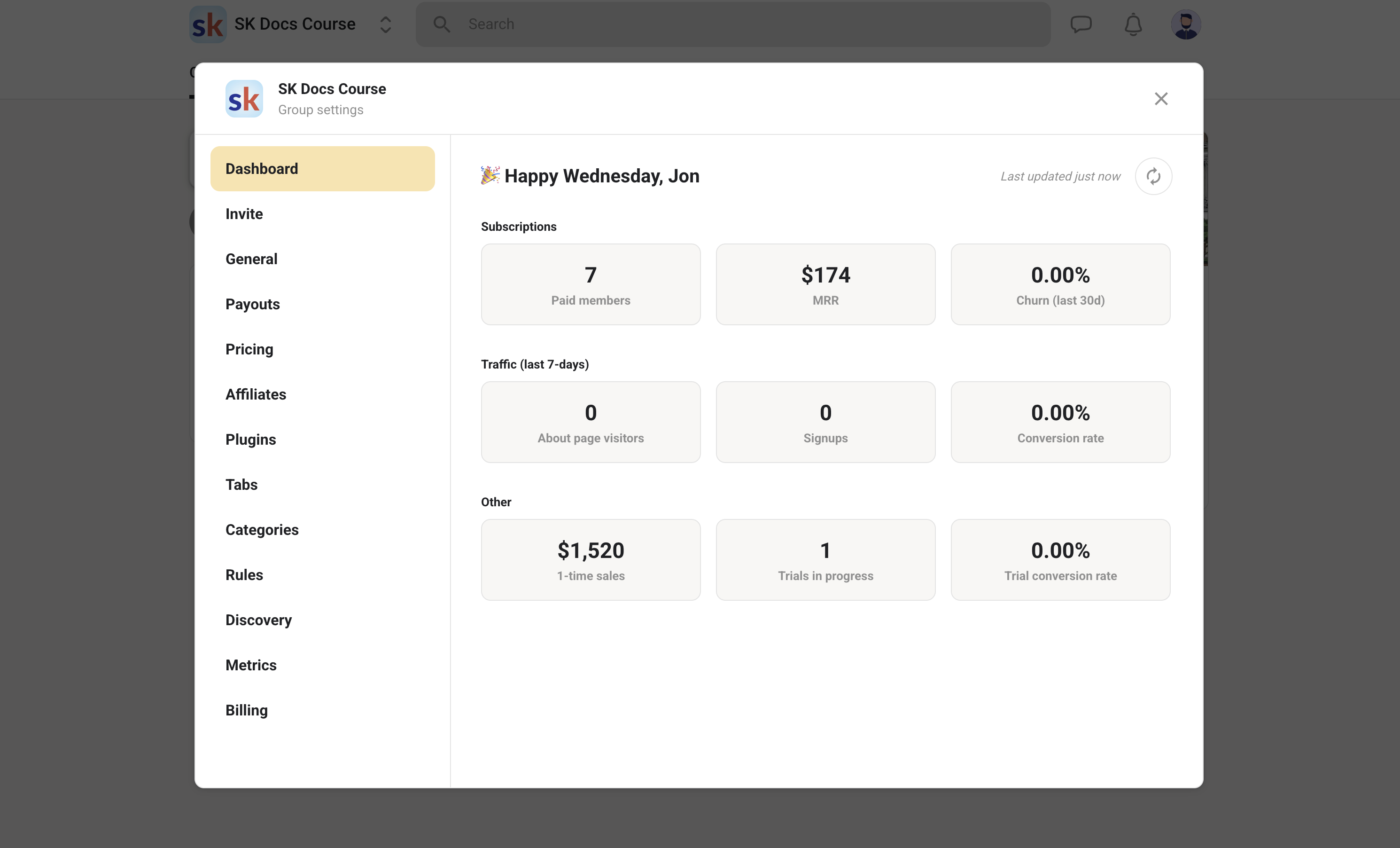
Go to SETTINGS in your community. The dashboard stays blank until you have subscribers or course sales. Once MRR or Course sales shows a number, open the Payout tab to see what is scheduled.
Grab your payout invoice
In the Payouts tab, click any payout line item to open its reverse invoice. These are generated automatically and are what you use at tax time to sum your net income.
How refunds work
Refunds are at your discretion as the creator. Skool generally will not refund on behalf of creators, so the decision and the action are yours. To issue one, open the Members tab, find the member, click MEMBERSHIP SETTINGS, go to the Payments tab, click a payment date, and choose REFUND PAYMENT. Full and partial refunds both work.
Watch out: you cannot refund more than your available account balance. If your balance is low, you either wait for more subscriber revenue to build it up or settle with the member another way, like PayPal or Venmo. Also remember a refund does not cancel the subscription or remove the member. Those are separate actions.
Frequently asked questions
What fees does Skool charge on payments?
On the Pro plan it is 2.9% + 30c per transaction up to $899, and 3.9% + 30c above $900. On Hobby it is a flat 10% + 30c on every transaction. Transaction fees are non-refundable, and the maximum single charge is $100,000 USD.
How long until I get my first payout?
The first payout runs through verification and takes roughly 8 to 14 days from your first payment. After that, payouts are automatic every Wednesday on a 7 day cycle. Deposit time is 1 to 3 business days for US banks and 3 to 5 for international.
Can I use my existing Stripe account?
No. Skool connects through Stripe Express only, and it is a separate connection from a regular Stripe account. You also cannot link fintech banks like Wise or Chime directly.
Does a refund remove the member from my group?
No. Refunding a charge does not cancel the subscription or remove the member. If you want them gone, you remove, ban, or cancel the subscription separately. And you can only refund up to your available balance.
Start your Skool community
Ready to build a community of your own? Start on Skool through our link. We may earn a commission if you create and keep a paid community, at no extra cost to you.
Start your Skool community →Keep reading

Skool Refund Policy: How to Get a Refund in 2026
Can You Make Money on Skool? Real Earnings, 2026

Skool Webinar vs Skool Call: Which Should You Run?

Skool Invite Link: 4 Ways to Invite Members (2026 Guide)

Skool Facebook Pixel & Ads Tracking Setup (2026 Guide)

Skool Chat Explained: DMs, Limits and Group Chat (2026)

Skool AutoMod: How to Stop Spam in Your Community (2026)
Skool Affiliate Program (2026): 40% Recurring Commissions
Skool Fees 2026: What Skool Takes From Each Sale
