Skool Social Links: TikTok Is the New One
Skool social links now number six: Instagram, YouTube, TikTok, Facebook, LinkedIn and X. TikTok is the new one. Here is where to add yours and why.

Skool profiles now carry six social links, and TikTok is the newly added one. The full set, in the order the product lists them, is Instagram, YouTube, TikTok, Facebook, LinkedIn and X. The fields live under a collapsed "Social links" section in your profile settings, between Myers Briggs and Membership visibility, and each takes a single URL.
The change
- New field TikTok
- Full list Instagram, YouTube, TikTok, Facebook, LinkedIn, X
- Where profile picture, Profile, Edit Profile, Social links
- Spotted 28 August 2026 by Allison Saunders in the Skoolers community
- Verified 29 August 2026 on a live logged-in profile settings screen
- Section is collapsed by default, which is why most owners have never filled it in
Where are social links on a Skool profile?
Click your profile picture in the top right, choose Profile, then Edit Profile. Scroll past your name, URL, bio, location and Myers Briggs, and you will find a collapsed row labelled Social links with a chevron. Click it and the six fields expand. Fill in the ones you use, leave the rest blank, then click UPDATE PROFILE at the bottom.
The section being collapsed by default is the whole reason this change went unnoticed for a while. Nothing on the profile page tells you the fields exist unless you open the accordion, and there is no prompt anywhere in onboarding that pushes you to it.
Who found it and what did they say?
Allison Saunders posted it in the Skoolers community on 28 August 2026, under the title "Social Media Links: I Spy the New One!". Her framing was a reminder rather than a feature announcement, and the reminder is the useful part: if you are trying to get Growth Boosted, get all of your social links onto your Skool profile, and make sure those profiles point people back to your Skool.
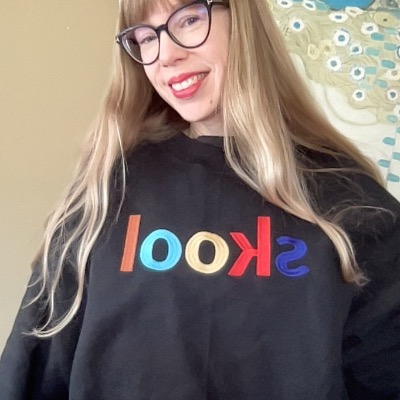
Her aside is worth repeating too, because it is the honest reaction of most people reading this: now she actually has to figure out how to use TikTok.
Why does a TikTok field matter?
Because of the direction of the arrow, which is the part people get backwards. A social link on your Skool profile does not send you traffic. It sends traffic away, to your TikTok. The value is what happens on the return leg, and that only exists if your TikTok bio points back at your community.
That is the loop Allison is describing. Skool is now the platform that pays for discovery, through Discovery itself and through Growth Boost's off-site ads, so the sensible configuration is that every audience you already own has a documented path into your Skool community, and your Skool profile documents the paths back out. Set both directions or you have built half a bridge.
There is a second reason, and it is the one owners should care about more. Skool's own Discovery settings panel lists "Owner driving traffic to about page" as a ranking boost, in those words, which we documented in full in the Skool Discovery keywords breakdown. Social profiles are the cheapest way most owners have of driving that traffic. Filling in the link is not the mechanism, but the traffic it produces is.
Both directions, or neither: a TikTok link on your Skool profile is worth roughly nothing on its own. It becomes worth something the moment your TikTok bio has a Skool link in it, because then the two profiles form a loop instead of a leak.
The six links, and what each is actually for
| Link | Who clicks it | What it is worth to a community owner |
|---|---|---|
| Members checking you are real | Highest trust-check value, lowest traffic value | |
| YouTube | Members who want proof you can teach | The strongest single credibility link for a coach |
| TikTok | New, and the youngest audience | Discovery-heavy platform, so the return path matters most here |
| Group owners and older audiences | Still where many niche communities actually live | |
| B2B buyers and corporate members | The one that matters if you sell to professionals | |
| X | Founders, operators, and the tech-adjacent | Low volume, high signal for build-in-public owners |
The ordering in the product is not accidental either. Instagram, YouTube and now TikTok sit first, which are the three platforms where a creator's audience is most likely to be portable.
Should you fill in all six?
Only the ones you actually post on. An abandoned account with eleven followers and a last post from 2023 is worse than an empty field, because a visitor who clicks it learns something about you that you did not intend to tell them. The profile is a trust surface before it is a traffic surface.
The test is simple. Click each of your own links as if you had never heard of yourself. If what loads makes you more likely to join the community, keep it. If it makes you hesitate, delete it and fix the account before you link it again.
What this does not change
It does not change discovery ranking directly, it does not create a new traffic source in your dashboard, and it is not a Skool News item, at least not yet. As of 29 August 2026 the latest episode is still Skool News 71 and it covers the Growth Boost bidding system, not this.
It also does not change anything about how the actual traffic gets attributed. Somebody arriving from your TikTok bio link is counted as an external website source, not as Skool network, which matters if you are trying to work out what Growth Boost is actually earning you. Real examples of that split are in Growth Boost results, where one owner reported about 90% of his traffic arriving from the Skool network against 6.7% from a YouTube channel he describes as having almost 100,000 subscribers.
The other thing worth doing while you are in there is the rest of the profile. Your photo, your bio, and your community's about page do far more conversion work than any of these six fields, and the same visit that fills in a TikTok link can fix all three.
Frequently asked questions
What social links does Skool support?
Six: Instagram, YouTube, TikTok, Facebook, LinkedIn and X, listed in that order in the product. TikTok is the most recent addition, first noted publicly in the Skoolers community on 28 August 2026 and confirmed on a live profile settings screen on 29 August 2026.
How do I add a TikTok link to my Skool profile?
Click your profile picture in the top right, choose Profile, then Edit Profile. Open the collapsed Social links section, paste your TikTok profile URL into the TikTok field, and click UPDATE PROFILE. The section sits between Myers Briggs and Membership visibility and is closed by default, which is why it is easy to miss.
Do Skool social links help you get more members?
Not by themselves. A social link on your Skool profile points outward, so it sends visitors to your other accounts rather than bringing anyone in. It becomes useful when the accounts you link back to also link to your Skool community, creating a loop. Separately, Skool's Discovery panel does list an owner driving traffic to their about page as a ranking boost, so the traffic your social accounts generate can matter even though the link itself does not.
Can you add a link in bio to Skool?
Yes, and it is the more valuable half of the setup. Put your community URL in the bio of every platform where you have an audience, then use the Skool social link fields to point back at those same profiles. Skool's traffic reporting will show those arrivals as an external website source rather than as Skool network.
Is the Skool social links change part of a Skool News episode?
Not as of 29 August 2026. The latest episode remains Skool News 71, published 25 August 2026, which covers the Growth Boost bidding system. The TikTok field appeared in the product without an announcement, which is how most small Skool changes arrive.
Why can't I see the social links fields on my Skool profile?
They are collapsed. In Edit Profile the row reads "Social links" with a chevron next to it, and clicking anywhere on that row expands the six inputs. If the row is not visible at all, scroll down past Myers Briggs, since the section sits near the bottom of the form just above Membership visibility and Advanced.
Start your Skool community
Ready to build a community of your own? Start on Skool through our link. We may earn a commission if you create and keep a paid community, at no extra cost to you.
Start your Skool community →Keep reading

Skool Video Hosting: Native Uploads, Embeds and Limits

Skool App: How to Download It, and Why No Desktop Version

Skool Call vs Zoom: Which Is Best for Live Calls?
Skool Free Trial: 14 Days, What's Included, How to Cancel

Skool News #78: Four Growth Boost Levels and Ad Visibility

Skool News #77: Custom Ads, Growth Tab and What's Coming

Skool News #76: Growth Boost Levels Explained
Skool Discovery Keywords: The New 11-Slot Field
